02 / CASE STUDY
Network traffic triage
Turn exported network traffic into explained investigation leads.
Open offline demo →I defined the project goals and reviewed the results. AI agents assisted with implementation and ran the automated tests.
Challenge
Help a learner or junior analyst turn a large packet-export table into a short set of activity patterns to investigate, with reasons for each alert and an explanation of missing evidence.
Environment
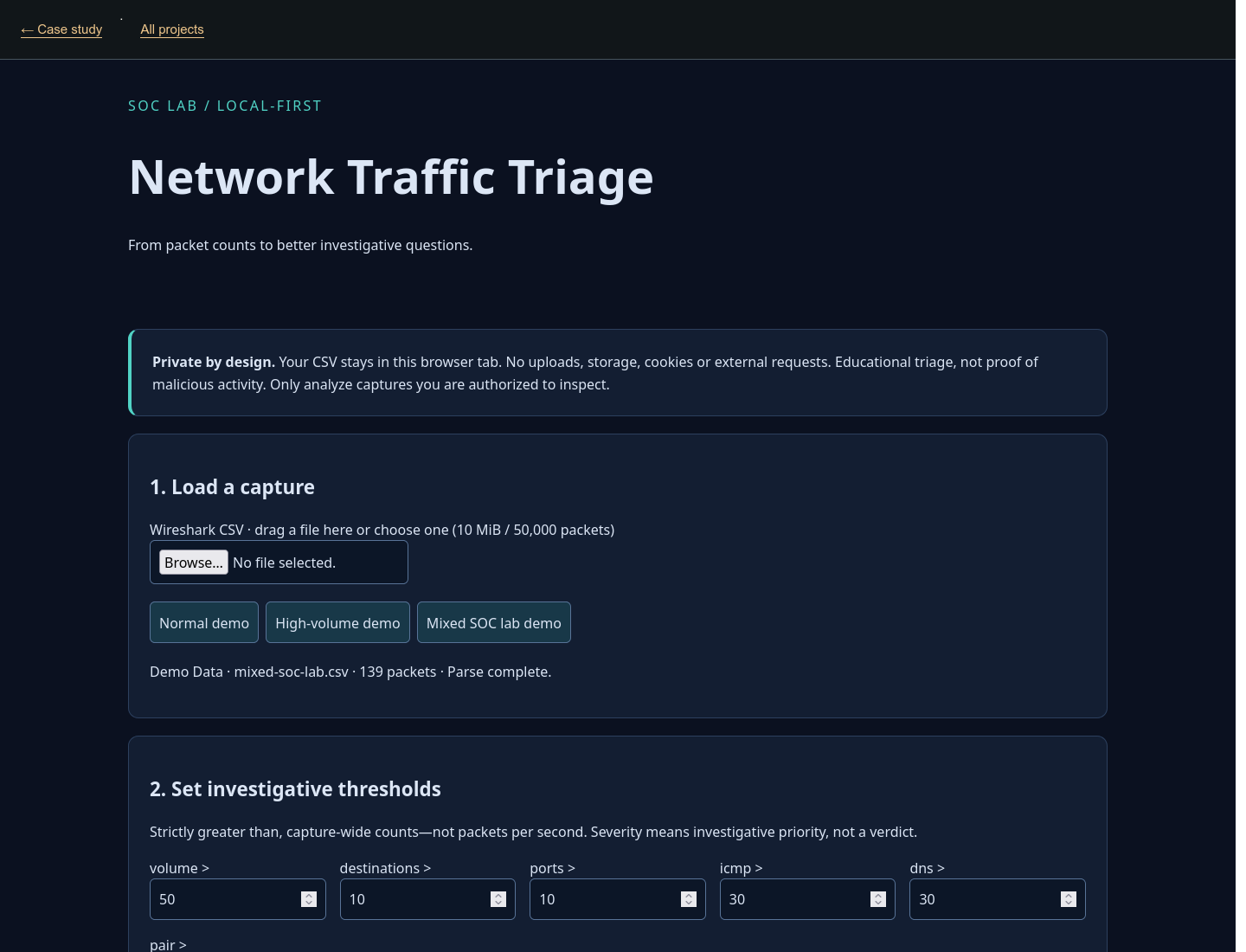
The tool uses HTML, CSS and JavaScript to analyze Wireshark comma-separated values (CSV) exports locally in the browser. It accepts files up to 10 MiB and 50,000 packet rows. Bundled fictional samples use addresses reserved for documentation rather than real systems.
Built
The application validates CSV input and presents a dashboard for the complete export, six configurable count rules, indicators of available evidence and alert filters. Rules flag high packet counts, many destinations or ports, and repeated communication. Destination-port diversity counts distinct service ports for each source–destination pair, not across unrelated destinations.
Tested
AI-executed automated tests cover CSV formatting errors, sample totals and exact alert boundaries. Real-browser checks exercise file import, demo controls and responsive layout at desktop and mobile widths.
Concepts
Counts are grouped by the relevant source or source–destination pair. An alert fires only when a count exceeds its threshold, not when it merely equals it. Each alert includes a possible benign explanation and a next investigation step.
Outcomes
The normal sample has 13 packets and no default alerts. The mixed lab has 139 packets and demonstrates all six rule types, giving a reviewer a repeatable way to inspect the explanations and filters. Filters narrow the alert list without changing totals for the complete export.
Takeaways
Eleven ports spread across eleven destinations must not be confused with eleven ports on one destination. This distinction matters when reviewing possible scanning activity. Capture duration and expected system behavior are needed before interpreting any count.
Limitations
This tool summarizes exported CSV records rather than raw packet-capture files. Counts cover the complete export, so longer captures or different packet selections can change the alerts without any change in system behavior. It does not analyze connection flags, calculate rates over time or establish normal behavior. Destination-port checks need reliable numeric port details; missing data can prevent assessment or undercount ports. Domain Name System (DNS) packet counts include responses and retries, not just requests. Alerts are leads to check against original packets and relevant logs, rather than a malware verdict or numerical risk score.